Dynatrace✓ Verified
· 7 min read

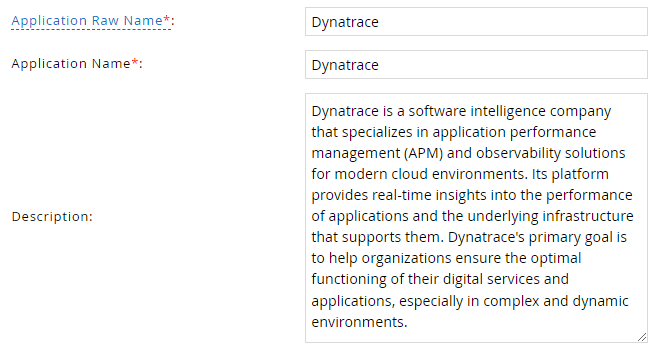
 Dynatrace is a software intelligence company that specializes in application performance management (APM) and observability solutions for modern cloud environments. Its platform provides real-time insights into the performance of applications and the underlying infrastructure that supports them. Dynatrace's primary goal is to help organizations ensure the optimal functioning of their digital services and applications, especially in complex and dynamic environments. Dynatrace is a software intelligence company that specializes in application performance management (APM) and observability solutions for modern cloud environments. Its platform provides real-time insights into the performance of applications and the underlying infrastructure that supports them. Dynatrace's primary goal is to help organizations ensure the optimal functioning of their digital services and applications, especially in complex and dynamic environments.Identities ❌ | Accounts ✔️ | Groups ✔️ | App Roles ❌ | Entitlements ❌ |
Application
Steps
- Login to RSA G&L console as System Administrator.
- Navigate to Resources > Application.
- Click on Create Application and select Other Application.
- Enter the details as shown below.
- Click Finish.
Account Collector
This section explains the process for configuring an account collector for the Dynatrace application. We will use the RSA G&L Generic REST collector 1 for this purpose.
Steps
- Login to RSA G&L console as System Administrator.
- Navigate to Resources > Applications.
- Click on Dynatrace.
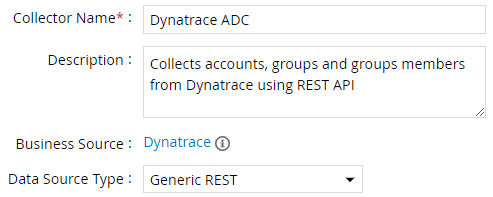
- Navigate to Collectors tab and click on Create Account Collector. Enter the details as shown below.
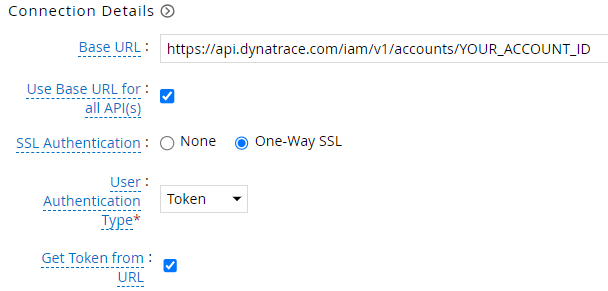
- Click Next and enter the connection details. Refer to Token Authentication for more information on authentication configuration.
- Click Next. Select the data types that the collector will be collecting from Dynatrace

- Click Next. On the Account Data page, enter the following configurations.
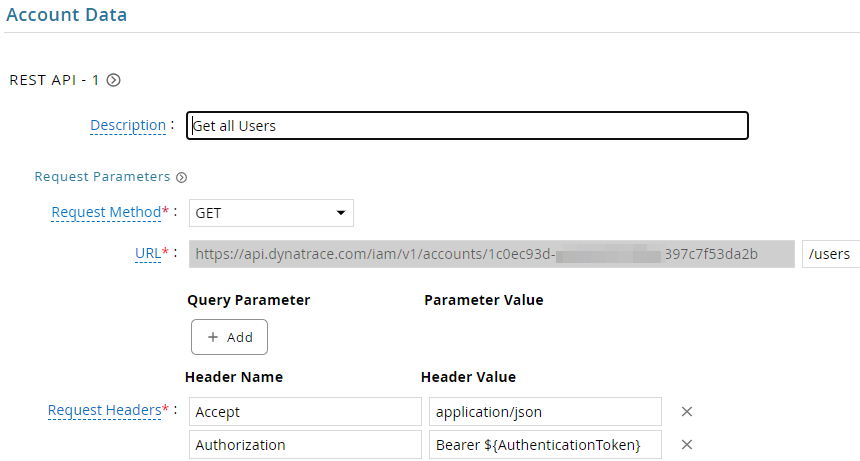
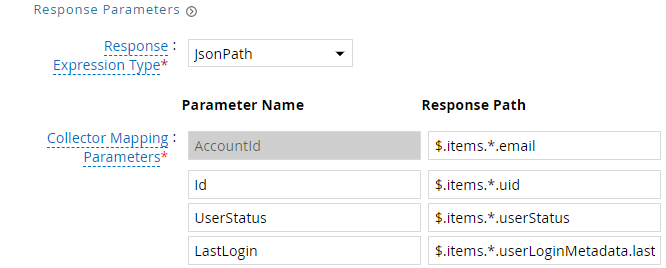
| Request | |
| Method | GET |
| URL | /users |
| Request Headers | |
| Accept | application/json |
| Authorization | Bearer ${AuthenticationToken} |
| Response Mappings | |
| AccountId | $.items.*.email |
| Id | $.items.*.uid |
| UserStatus | $.items.*.userStatus |
| LastLogin | $.items.*.userLoginMetadata.lastSuccessfulLogin |
- Click Next. On the Group Data page, enter the following configurations.
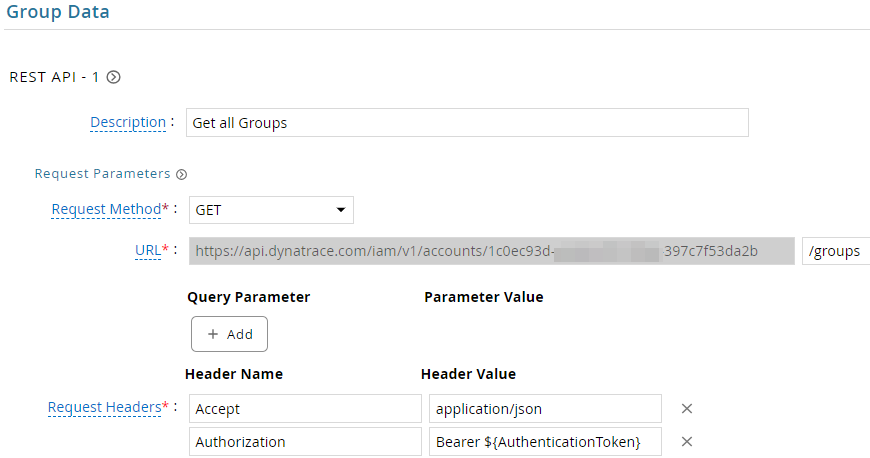
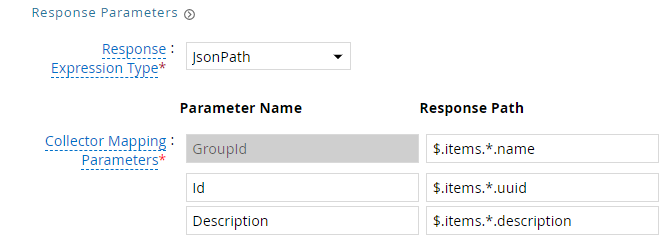
| Request | |
| Method | GET |
| URL | /groups |
| Request Headers | |
| Accept | application/json |
| Authorization | Bearer ${AuthenticationToken} |
| Response Mappings | |
| GroupId | $.items.*.name |
| Id | $.items.*.uuid |
| Description | $.items.*.description |
- Click Next. On the Account Group Membership page, enter the following configurations.
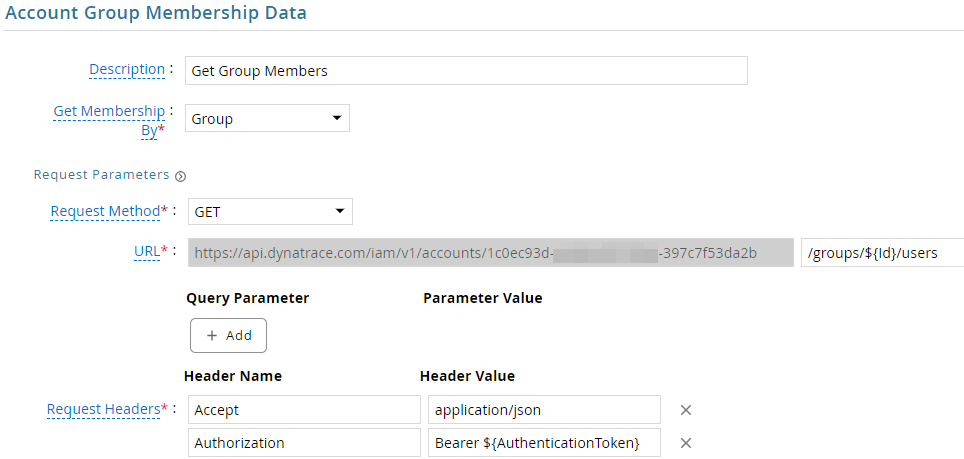

| Request | |
| Method | GET |
| URL | /groups/${Id}/users |
| Request Headers | |
| Accept | application/json |
| Authorization | Bearer ${AuthenticationToken} |
| Response Mappings | |
| Account Identifier | $.items.*.uid |
- Click Next. In the Map Collector Attributes to Account Attributes, map the collected account attributes.
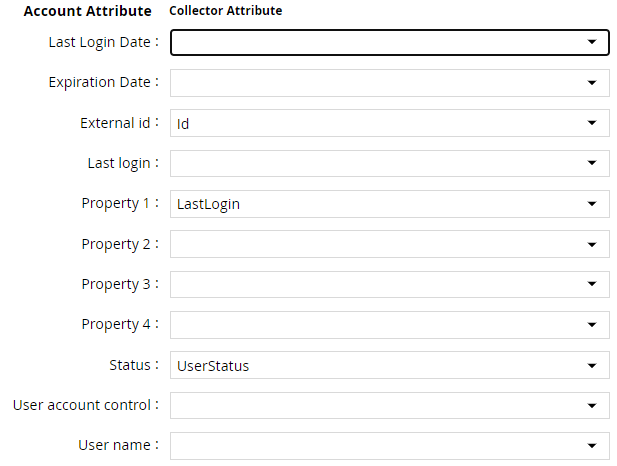
- Click Next. In the Map Collector Attributes to Account Mapping Attributes, map the user reference attribute.

- Click Next. In the Map Collector Attributes to Group Attributes, map the collected group attributes.

- Click Next. In the User Resolution Rules, map the user to account.

- Click Next. In the Member Account Resolution Rules, map the account.

💡 Info: This value MUST always be mapped to the Account Name for any generic REST collector.
- Click Finish. Use the
Testfunction to make sure the configurations are accurate.
Application Setup
This section explains the process of setting up a service account in Dynatrace for use within the collections process.
Steps
- Login to Dynatrace Account Management console https://myaccount.dynatrace.com/account/home.
- Under Identity & access management, click on OAuth clients.
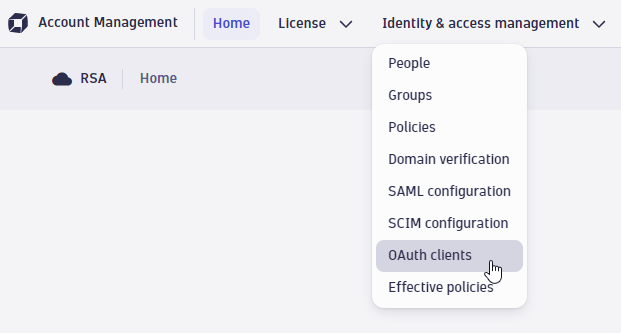
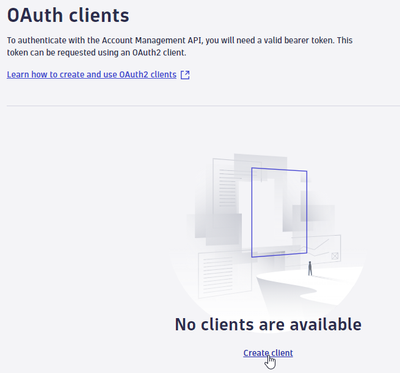
- Click on Create client.
- Provide a valid (existing / Active) user email address and a meaningful description. We will restrict permissions to view user and groups data.
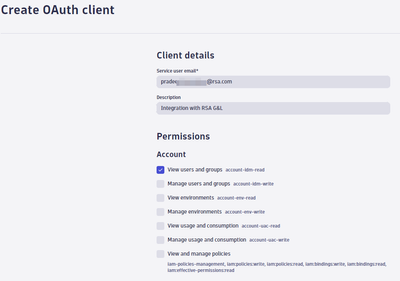
- Click Create client.
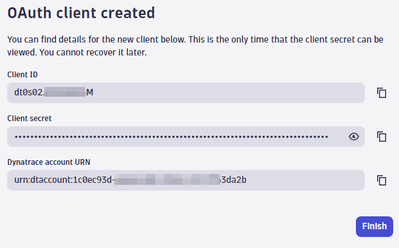
- Copy the client ID, client secret and account ID (portion after
urn:daccount:).
Authentication
Token
This section explains the process of setting up RSA G&L ADC with token authentication.
Steps
- Login to RSA G&L console as System Administrator.
- Create or Edit a generic REST ADC that will be using Token authentication.
- On the Connection Details page, configure the following.
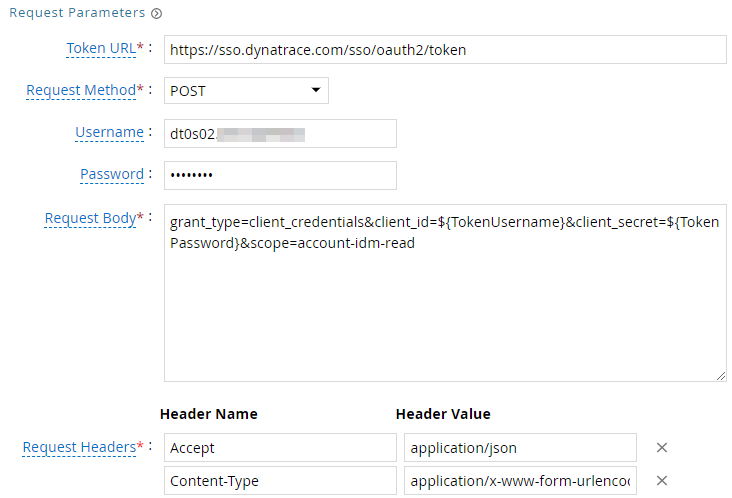

| Request | |
| Method | POST |
| Token URL | https://sso.dynatrace.com/sso/oauth2/token |
| Username | Client ID |
| Password | Client Secret |
| Request Headers | |
| Accept | application/json |
| Content-Type | application/x-www-form-urlencoded |
| Request Body | |
| grant_type=client_credentials&client_id=${TokenUsername}&client_secret=${TokenPassword}&scope=account-idm-read | |
| Response Mappings | |
| Response Path | $.access_token |
- Save the collector configuration & test.
References
- Dynatrace Account Management API
- Account Management API Authentication
- OAuth Clients
- OAuth 2.0 Client Credentials Grant (RFC 6749)
COL006