Workday✓ Verified

 Workday is a cloud-based software platform that offers financial management and human capital management services. It streamlines HR, payroll, and finance processes, providing businesses with efficient tools for workforce management and financial planning. Workday is a cloud-based software platform that offers financial management and human capital management services. It streamlines HR, payroll, and finance processes, providing businesses with efficient tools for workforce management and financial planning.Identities ✔️ | Accounts ❌ | Groups ❌ | App Roles ❌ | Entitlements ❌ |
This integration is based on the Reporting as a Service (RaaS) offered by Workday and will use the out-of-the-box generic REST collectors to collect data. Workday RaaS allows greater flexibility in controlling what data needs to be collected from third party tools like RSA G&L without exposing sensitive data.
Application
Steps
- Login to RSA G&L console as System Administrator.
- Navigate to Resources > Application.
- Click on Create Application and select Other Application.
- Enter the details as shown below.

- Click Finish.
Identity Collector
This section explains the process for configuring an account collector for the Workday (RaaS) application. We will use the RSA G&L Generic REST collector for this purpose.
Steps
- Login to RSA G&L console as System Administrator.
- Navigate to Resources > Applications.
- Click on Workday.
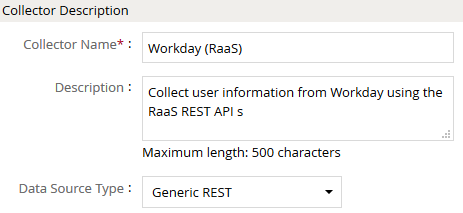
- Navigate to Collectors tab and click on Create Identity Collector. Enter the details as shown below.
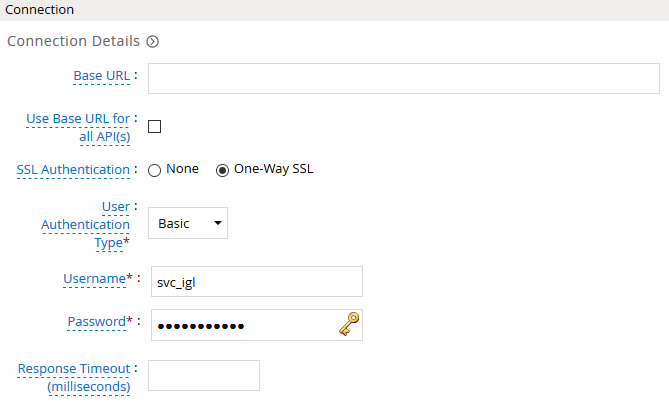
- Click Next and enter the connection details.
- Click Next. On the User Data page, enter the following configurations.
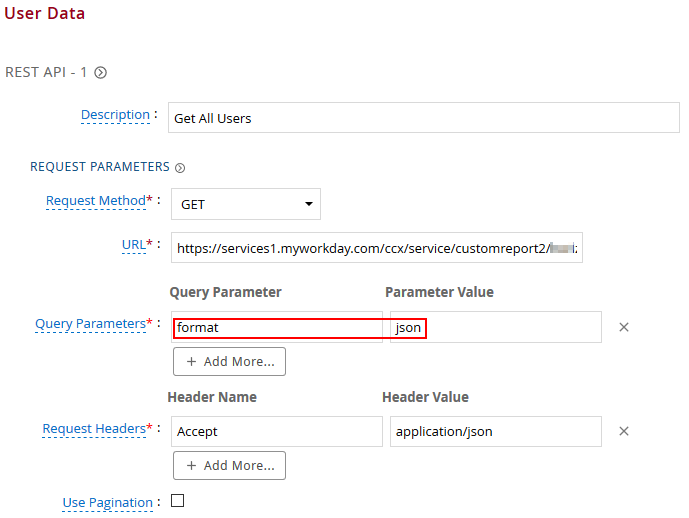
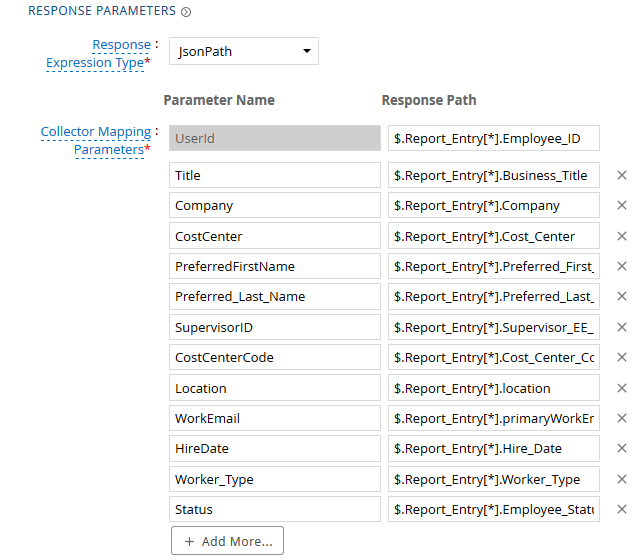
| Request | |
| Method | GET |
| URL | Report URL |
| Query Parameters | |
| format | json |
| Request Headers | |
| Accept | application/json |
| Response Mappings | |
| UserId | $.Report_Entry[*].EmployeeID |
| Company | $.Report_Entry[*].Company |
- Click Next. On the Map Collector Attributes to User Attributes page, enter the following configurations.
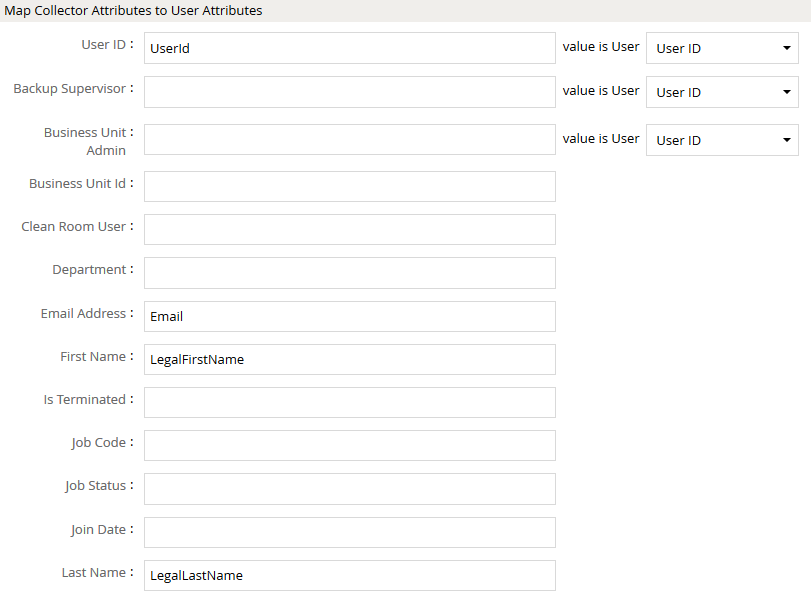
- Click Next. On the Attribute Evaluation page, enter the following configurations.

- Click Finish. Use the Test function to make sure the configurations are accurate.
Workday : Setup
Workday recommends using an Integration System User (ISU) for integration using third party services. RaaS requires basic authentication for REST API invocation.
Refer to Workato connectors - Workday integration connection | Workato Docs for more information on setup.
Troubleshooting
Validation Error on Report Retrieval (HTTP 400)
Error Message:
400 : Validation error occurred. Report not found or unauthorized
- Root Cause: The Integration System User (ISU) used by the collector is not designated as an authorized owner or viewer of the Report-as-a-Service (RaaS) report in Workday.
- Resolution:
- In Workday, locate the custom report used for collection.
- Edit the report permissions and verify the ISU user account has ownership or authorized access to execute the RaaS report.
References
Workday Documentation
- Workday Reports-as-a-Service (RaaS): Report design, web service enablement, and JSON formatting.
- Workday Integration System User (ISU) Security: Security groups, domain security policies, and authentication configuration.
- Workato Workday Connection Guide: Configuring Integration System Users and permissions.
COL032