ServiceNow✓ Verified
· 8 min read

 ServiceNow is a cloud-based platform offering IT service management, enabling organizations to streamline workflows, automate tasks, and enhance service delivery. It encompasses various modules for IT, HR, customer service, and more, promoting efficiency and collaboration within enterprises. ServiceNow is a cloud-based platform offering IT service management, enabling organizations to streamline workflows, automate tasks, and enhance service delivery. It encompasses various modules for IT, HR, customer service, and more, promoting efficiency and collaboration within enterprises.Identities ❌ | Accounts ✔️ | Groups ✔️ | App Roles ✔️ | Entitlements ❌ |
Application
Steps
- Login to RSA G&L console as System Administrator.
- Navigate to Resources > Application.
- Click on Create Application and select Other Application.
- Enter the details as shown below.

- Click Finish.
Account Collector
This section explains the process for configuring an account collector for the ServiceNow application. We will use the RSA G&L Generic REST collector 1 for this purpose.
Steps
- Login to RSA G&L console as System Administrator.
- Navigate to Resources > Applications.
- Click on ServiceNow.
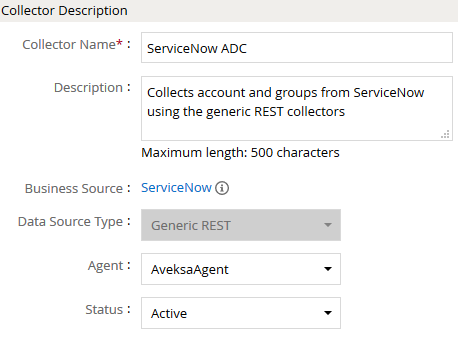
- Navigate to Collectors tab and click on Create Account Collector. Enter the details as shown below.
- Click Next and enter the connection details.
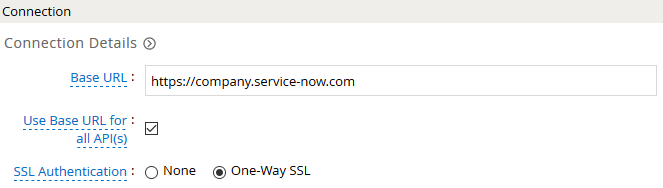
- If authentication type 2 is Basic, enter the credentials as shown below.

- Click Next. Select the data types that the collector will be collecting from ServiceNow

- Click Next. On the Account Data page, enter the following configurations.
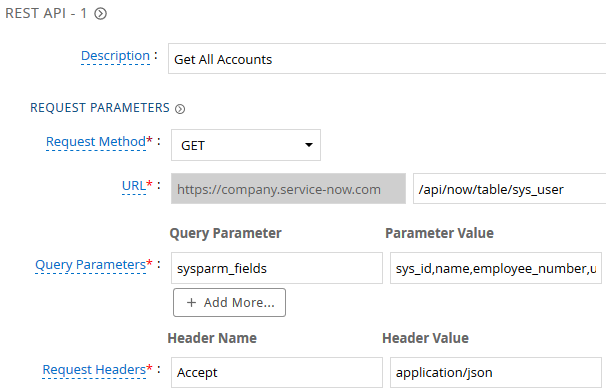
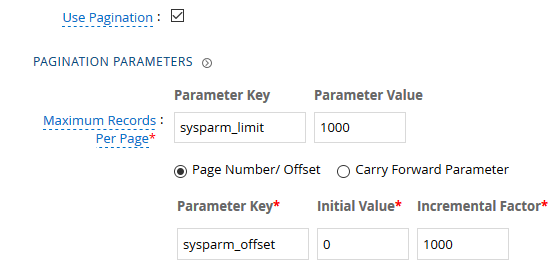
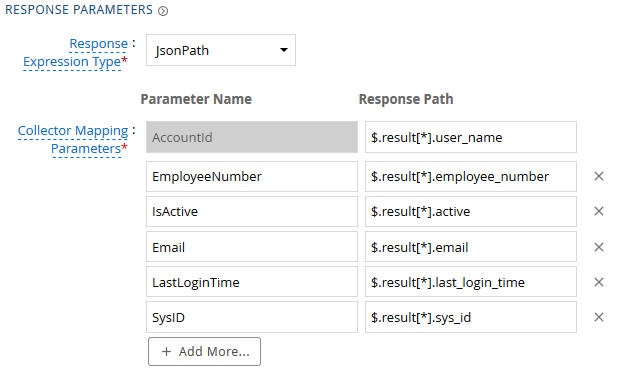
| Request | |
| Method | GET |
| URL | /api/now/table/sys_user |
| Query Parameters | |
| sysparm_fields | sys_id,name,employee_number,user_name,email,first_name,last_name,last_login_time,active |
| Request Headers | |
| Accept | application/json |
| Response Mappings | |
| AccountId | $.result[*].user_name |
| EmployeeNumber | $.result[*].employee_number |
| IsActive | $.result[*].active |
$.result[*].email | |
| LastLoginTime | $.result[*].last_login_time |
| SysID | $.result[*].sys_id |
- Click Next. On the Group Data page, enter the following configurations.
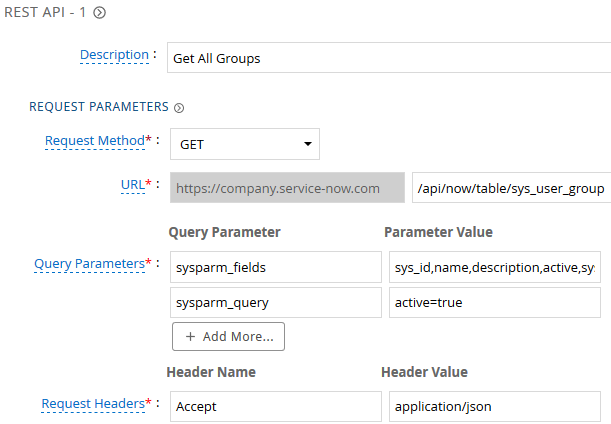
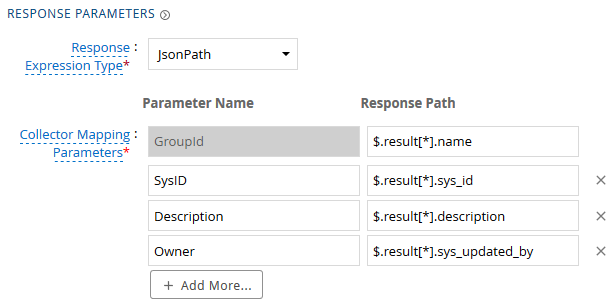
| Request | |
| Method | GET |
| URL | /api/now/table/sys_user_group |
| Query Parameters | |
| sysparm_fields | sys_id,name,description,active,sys_updated_by |
| sysparm_query | active=true |
| Request Headers | |
| Accept | application/json |
| Response Mappings | |
| GroupId | $.result[*].name |
| SysID | $.result[*].sys_id |
| Description | $.result[*].description |
| Owner | $.result[*].sys_updated_by |
- Click Next. On the Account Group Membership page, enter the following configurations.
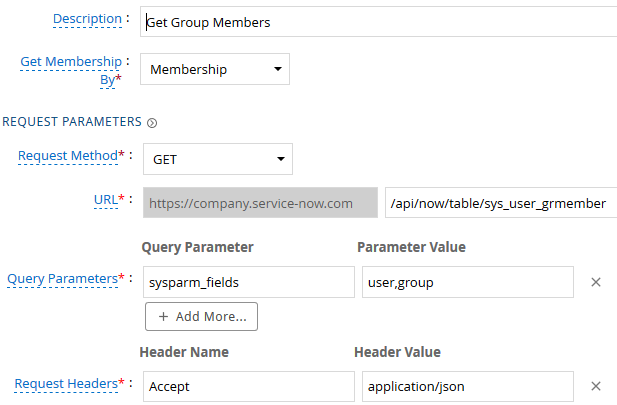
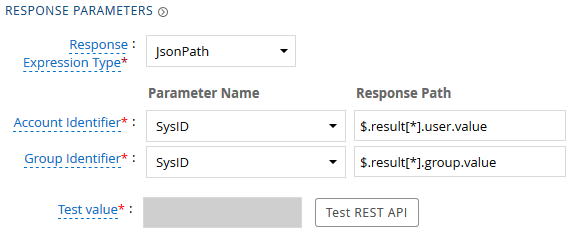
| Request | |
| Method | GET |
| URL | /api/now/table/sys_user_grmember |
| Query Parameters | |
| sysparm_fields | user,group |
| Request Headers | |
| Accept | application/json |
| Response Mappings | |
| Account Identifier | $.result[*].user.value |
| Group Identifier | $.result[*].group.value |
- Click Next. In the Map Collector Attributes to Account Attributes, map the collected account attributes.
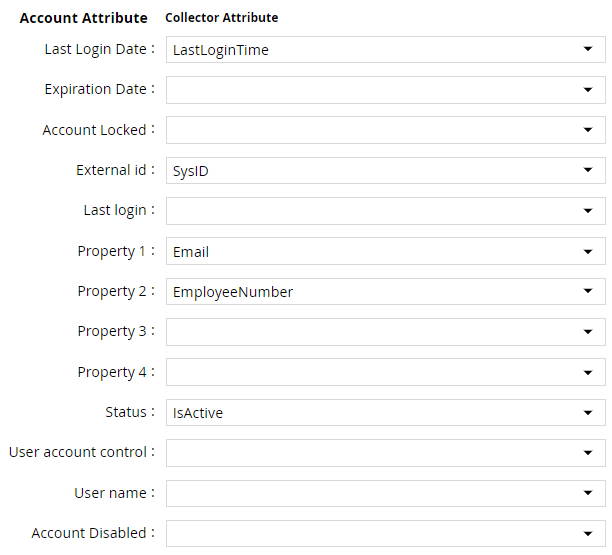
- Click Next. In the Map Collector Attributes to Account Mapping Attributes, map the user reference attribute.
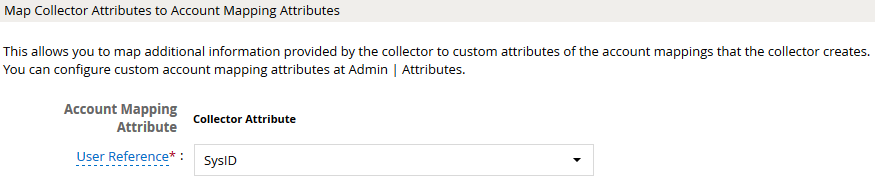
- Click Next. In the Map Collector Attributes to Group Attributes, map the collected group attributes.

- Click Next. In the User Resolution Rules, map the user to account.

- Click Next. In the Member Account Resolution Rules, map the account.

💡 Info: This value MUST always be mapped to the Account Name for any generic REST collector.
- Click Next. In the Group Owner Resolution Rules, map the owner to user attribute.

- Click Finish. Use the
Testfunction to make sure the configurations are accurate.
Entitlement Collector
This section explains the process for configuring an entitlement collector to collect admin roles from ServiceNow application. We will use the RSA G&L Generic REST collector 1 for this purpose.
Steps
- Login to RSA G&L console as AveksaAdmin.
- Navigate to Resources > Applications.
- Click on ServiceNow.
- Navigate to Collectors tab and click on Create Entitlement Collector. Enter the details as shown below.
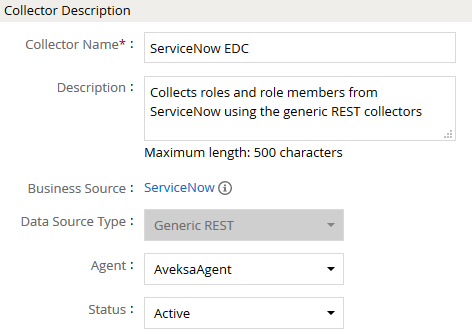
- Click Next and enter the connection details as shown in Step 5 of Account Collector.
- Click Next. Select the data types that the collector will be collecting from ServiceNow.

- Click Next. On the App Role Data page, enter the following configurations.
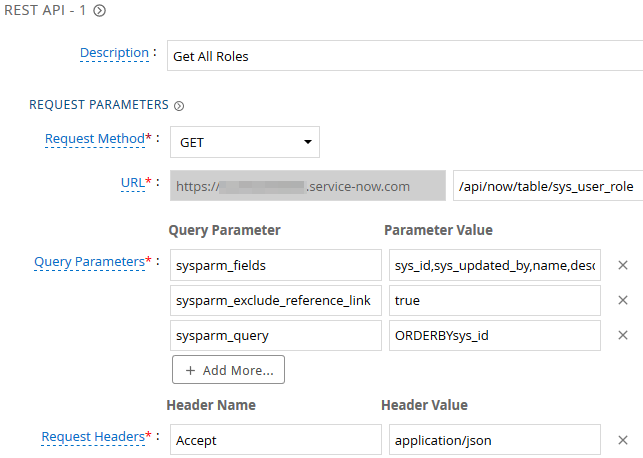
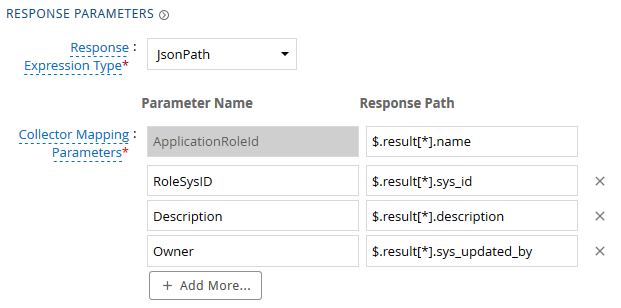
| Request | |
| Method | GET |
| URL | /api/now/table/sys_user_role |
| Query Parameters | |
| sysparm_fields | sys_id,sys_updated_by,name,description |
| sysparm_exclude_reference_link | true |
| sysparm_query | ORDERBYsys_id |
| Request Headers | |
| Accept | application/json |
| Response Mappings | |
| ApplicationRoleId | $.result[*].name |
| RoleSysID | $.result[*].sys_id |
| Description | $.result[*].description |
| Owner | $.result[*].sys_updated_by |
- Click Next. On the App-Role Account Membership collection page, enter the following configurations.
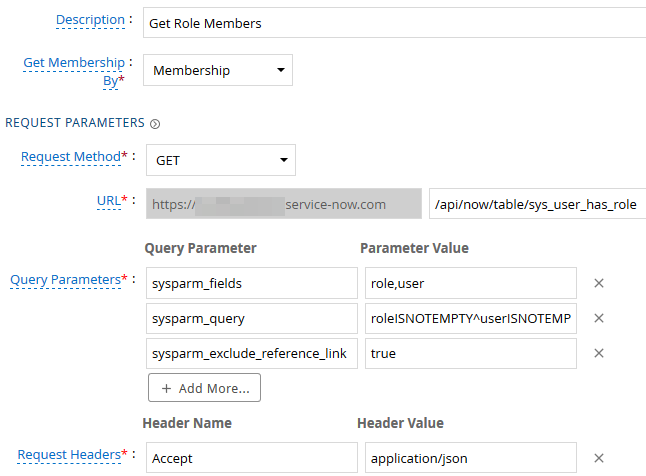
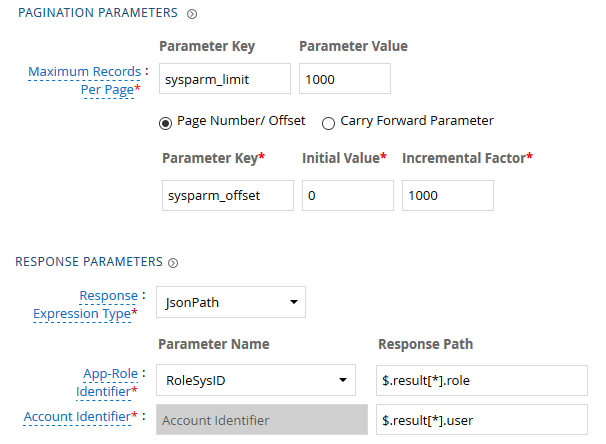
| Request | |
| Method | GET |
| URL | /api/now/table/sys_user_has_role |
| Query Parameters | |
| sysparm_fields | role,user |
| sysparm_exclude_reference_link | true |
| sysparm_query | roleISNOTEMPTY^userISNOTEMPTY^ORDERBYsys_id |
| Request Headers | |
| Accept | application/json |
| Response Mappings | |
| Application Role Id | $.result[*].role |
| Account Identifier | $.result[*].user |
- Click Next. In the Map Collector Attributes to App Role Attributes, map the collected account attributes.
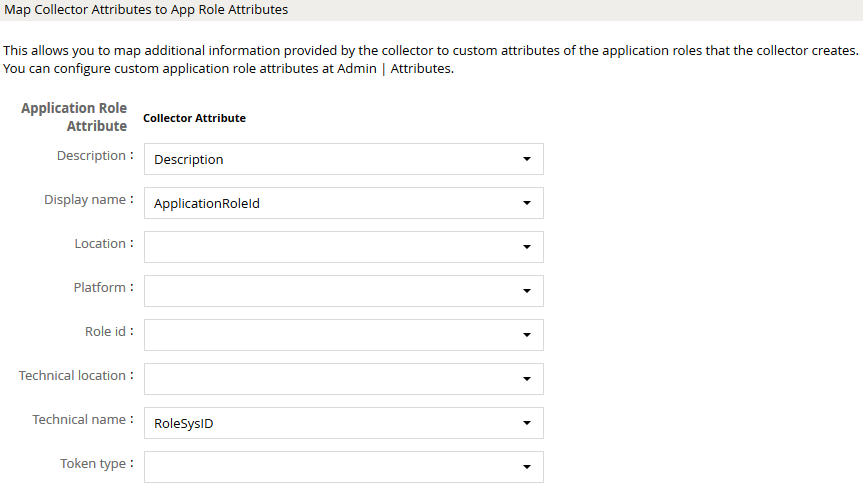
- Click Next. In the Account Evaluation, map the account collector to account value.
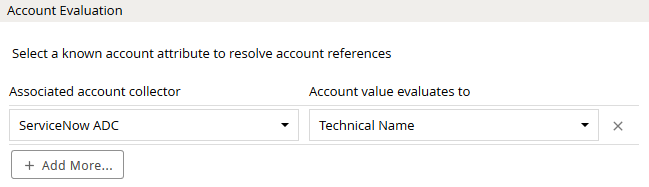
- Click Next and then click Finish. Use the
Testfunction to make sure the configurations are accurate.
References
- ServiceNow Table API: used for
sys_user,sys_user_group,sys_user_grmember,sys_user_role, andsys_user_has_role. - ServiceNow Basic Authentication
- ServiceNow Roles
COL029