MangoApps✓ Verified
· 6 min read

Identities ❌ | Accounts ✔️ | Groups ✔️ | App Roles ❌ | Entitlements ❌ |
 MangoApps is an employee engagement and collaboration platform. It provides messaging, file sharing, task management, and team workspaces. RSA G&L collects user accounts, groups, and group memberships through the MangoApps REST API.
Application
Steps
- Login to RSA G&L console as System Administrator.
- Navigate to Resources > Application.
- Click on Create Application and select Other Application.
- Enter the details as shown below.
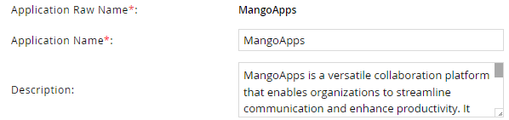
- Click Finish.
Account Collector
This section explains the process for configuring an account collector for the MangoApps application. We will use the RSA G&L Generic REST collector for this purpose.
Steps
- Login to RSA G&L console as System Administrator.
- Navigate to Resources > Applications.
- Click on MangoApps.
- Navigate to Collectors tab and click on Create Account Collector. Enter the details as shown below.
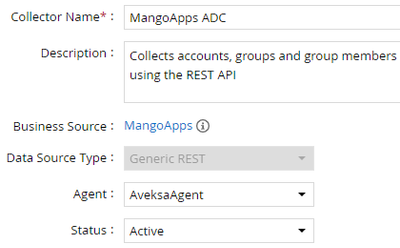
- Click Next and enter the connection details. Refer to Token Authentication for configuring the authentication for this collector.

- Click Next. Select the data types that the collector will be collecting from MangoApps

- Click Next. On the Account Data page, enter the following configurations.
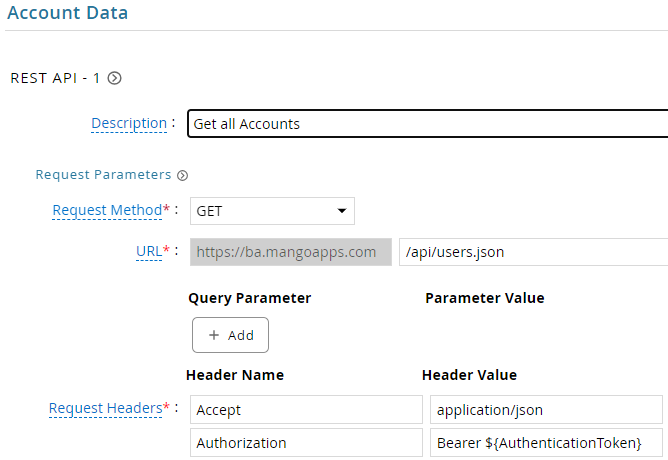
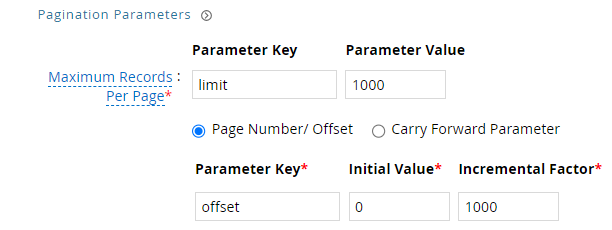
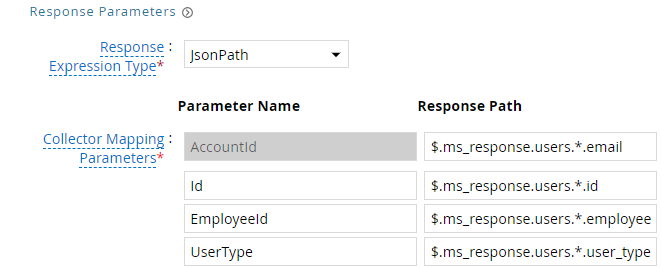
| Request | |
| Method | GET |
| URL | /api/users.json |
| Request Headers | |
| Accept | application/json |
| Authorization | Bearer ${AuthenticationToken} |
| Response Mappings | |
| AccountId | $.ms_response.users.*.email |
| Id | $.ms_response.users.*.id |
| EmployeeId | $.ms_response.users.*.employee_id |
| UserType | $.ms_response.users.*.user_type |
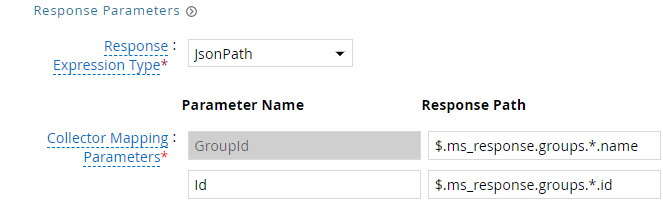
- Click Next. On the Group Data page, enter the following configurations.
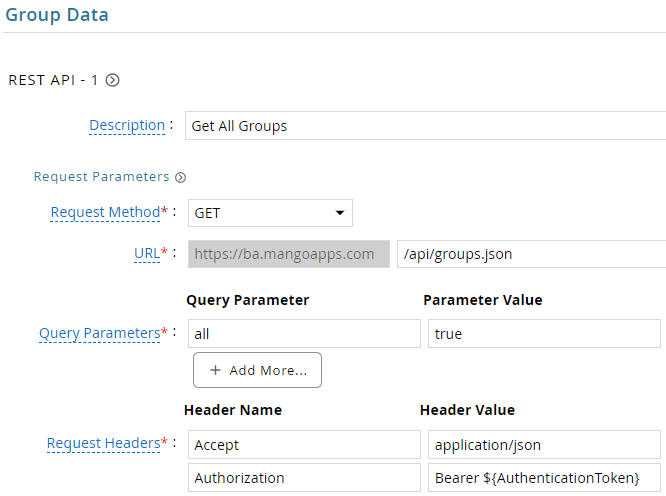
| Request | |
| Method | GET |
| URL | /api/groups.json |
| Request Headers | |
| Accept | application/json |
| Authorization | Bearer ${AuthenticationToken} |
| Response Mappings | |
| GroupId | $.ms_response.groups.*.name |
| Id | $.ms_response.groups.*.id |
- Click Next. On the Account Group Membership page, enter the following configurations.
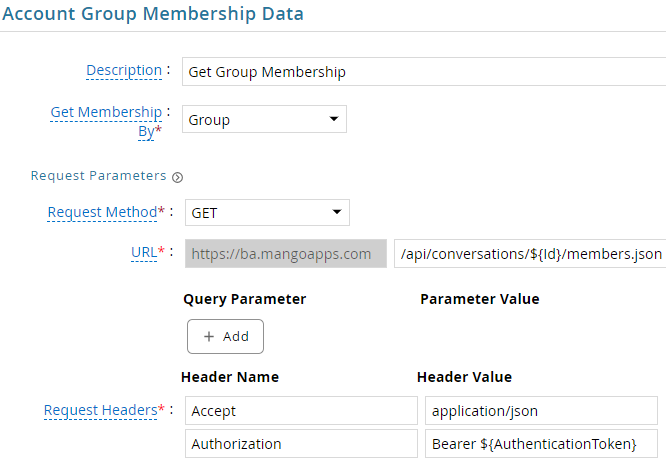
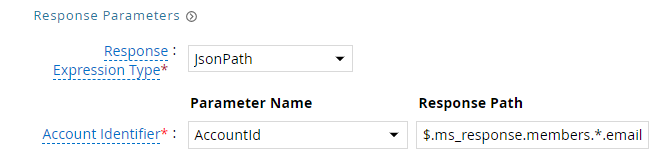
| Request | |
| Method | GET |
| URL | /api/conversations/${Id}/members.json |
| Request Headers | |
| Accept | application/json |
| Authorization | Bearer ${AuthenticationToken} |
| Response Mappings | |
| AccountId | $.ms_response.members.*.email |
- Click Next. In the Map Collector Attributes to Account Attributes, map the collected account attributes.
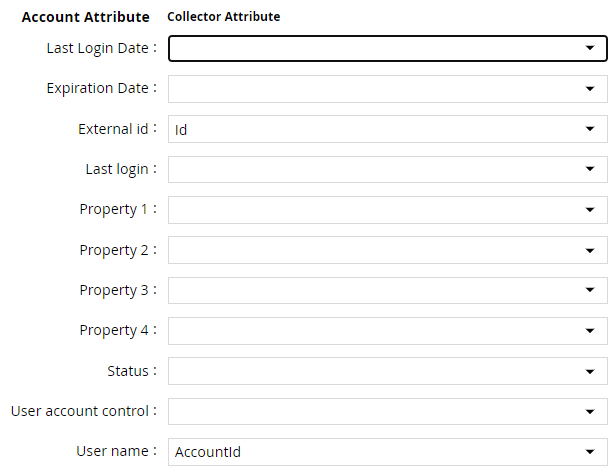
- Click Next. In the Map Collector Attributes to Account Mapping Attributes, map the collected group attributes.

- Click Next. In the Map Collector Attributes to Group Attributes, map the collected group attributes.

- Click Next. In the User Resolution Rules, map the user to account.

- Click Next. In the Member Account Resolution Rules, map the account attribute.

- Click Finish. Use the
Testfunction to make sure the configurations are accurate.
Application Setup
This section explains the process of acquiring the authentication data required for collectors and connectors from MangoApps.
Steps
- Login to MangoApps Admin Portal.
- Navigate to Integration > Webhooks.
- Note down the Client ID and Client Secret
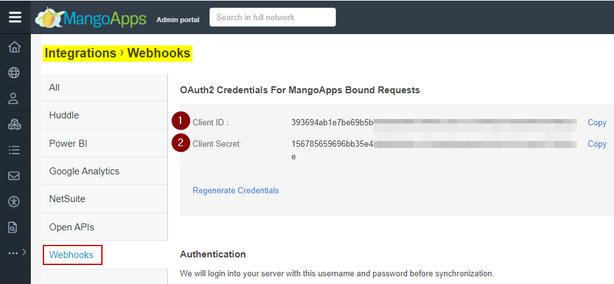
- Navigate to Users > Add Users to add a new service account user. If you already have a user account, proceed.
- For collections, a normal user account with no roles can be used. However, for provisioning (for example, enabling or disabling accounts) the service account needs to have Network Admin role. Navigate to Users > Admin Roles.
- Under Roles, select Network Admin.
- Click Add Admin and assign the user by clicking Make Network Admin.
Authentication
Token
This section explains the process of setting up RSA G&L ADC with token authentication. The token request uses the OAuth2 password grant.
Steps
- Login to RSA G&L console as System Administrator.
- Create or Edit a generic REST ADC that will be using Token authentication.
- On the Connection Details page, configure the following.
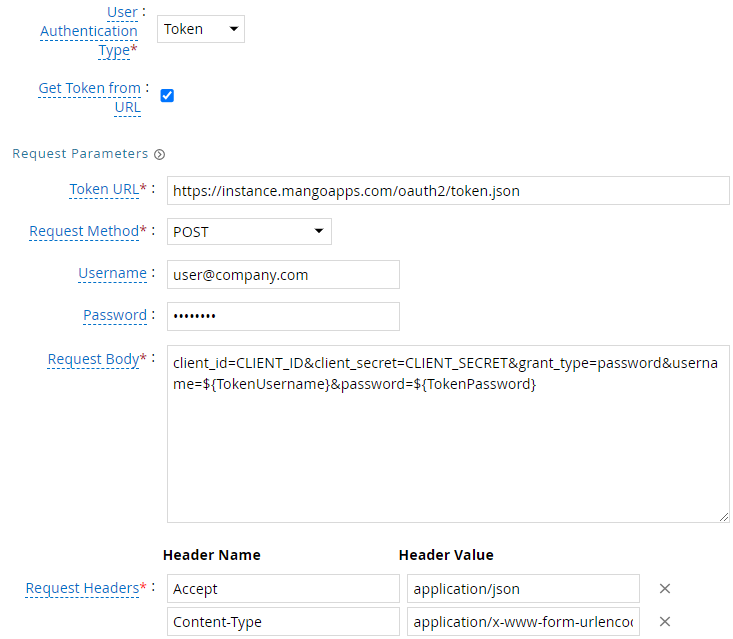

| Request | |
| Method | POST |
| Token URL | https://instance.mangoapps.com/oauth2/token.json |
| Username | gl-service@example.com |
| Password | User Account Password |
| Request Headers | |
| Accept | application/json |
| Content-Type | application/x-www-form-urlencoded |
| Request Body | |
| client_id=CLIENT_ID&client_secret=CLIENT_SECRET&grant_type=password&username=${TokenUsername}&password=${TokenPassword} | |
| Response Mappings | |
| Response Path | $.access_token |
- Save the collector configuration & test.
References
- MangoApps
- MangoApps API documentation: available on your MangoApps instance through the Admin Portal
- OAuth 2.0 Resource Owner Password Credentials Grant (RFC 6749)
COL014